Evidence at a glance
Loading source evidence…
What was done
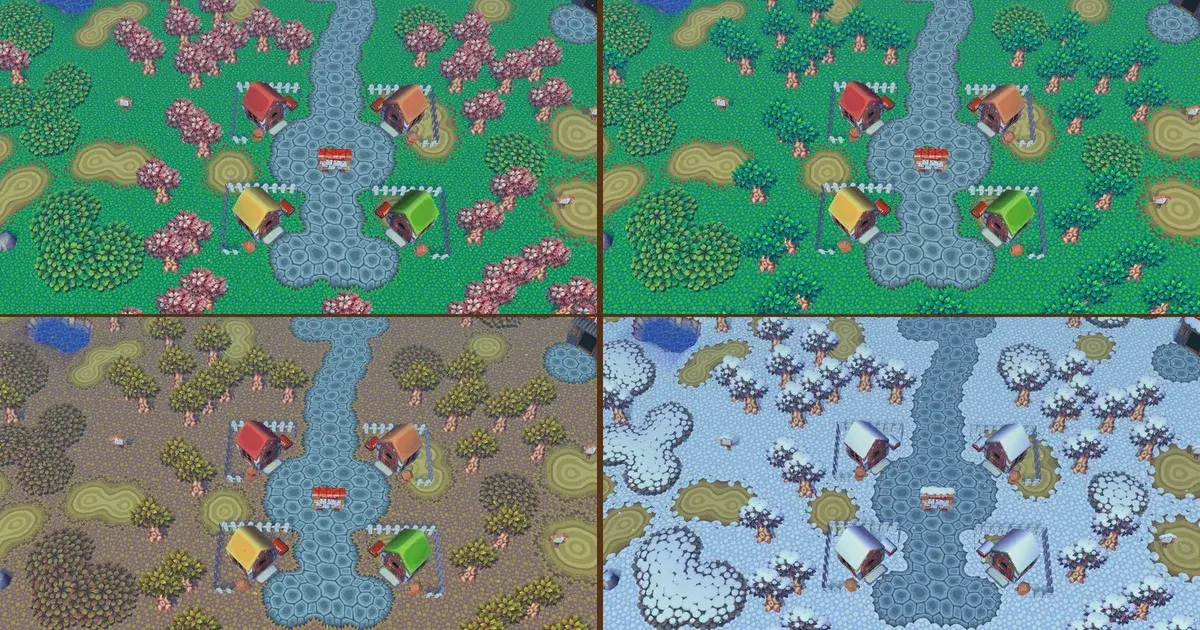
This project modifies the Animal Crossing (GameCube) PC port to render the game as a live desktop wallpaper. It uses the user's own save file to display their town in real-time, featuring a wandering camera, hourly music, and weather effects.
The ACGC-Desktop project provides a live wallpaper mode for the Animal Crossing (GameCube) PC port. It is a fork of the ACGC-PC-Port by FlyingMeta, which itself utilizes the ac-decomp decompilation. The software renders the game behind desktop icons, using the user's own save file without modifying it. An invisible autopilot walker navigates the town, while a zoomed-out camera drifts between acres to observe villagers. The wallpaper synchronizes with the PC clock for time, weather, and seasons. Users can switch to interactive gameplay via keyboard shortcuts or a tray menu. The project includes a desktop widget for clock display and camera controls. Development commits credit Claude Opus 5.5 as a co-author. Known limitations include the inability to save progress when returning to wallpaper mode, restriction to the primary monitor, and a camera that does not seek out specific events like K.K. Slider or the Bug-Off.
Reproduce it
Download the latest release zip, place a valid GAFE01 Rev 0 disc image in the rom folder, and run Start Wallpaper.bat.
Community
Ask a question, share what worked, or follow the next milestone.