Evidence at a glance
Based on the linked sources. The author's reported result and independent confirmation are separate checks.
- AI involvement
- Reported models: Claude. Tools: Python, Qt, GitHub Actions, Pyright, Ruff. The writeup below describes the work attributed to AI.
- Reported result
- Works. This is the directory's source-based outcome classification.
- Independent confirmation
- Not reported.
- Human work and limitations
- The project explicitly credits Claude Opus 5.5 as a co-author in commit messages. The author notes that while AI assisted in reverse engineering and code generation, the project is guided by human architectural decisions.
Original sources
What was done
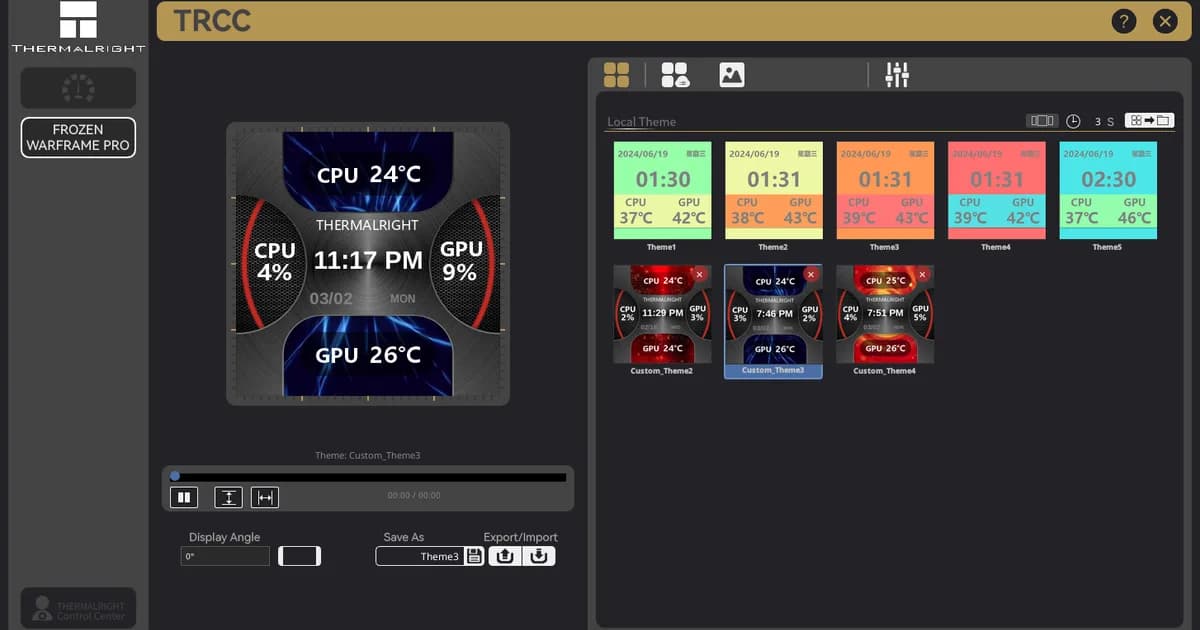
A community-driven Linux port of the Thermalright LCD Control Center, enabling control of LCD and LED hardware. The project utilizes AI for protocol reverse engineering and code generation, supported by a network of testers to achieve feature parity with the Windows version.
The thermalright-trcc-linux project provides a native Linux implementation of the Thermalright LCD Control Center, allowing users to customize LCD and LED segment displays on CPU coolers, AIO pump heads, and fan hubs. The project was developed as a solo hobbyist effort to address the lack of official Linux support. The author reports that the project utilizes Claude for protocol reverse engineering and code generation, while maintaining human oversight for architectural decisions and logical assessment. The software has achieved C# feature parity with the original Windows TRCC 2.1.2, supporting 6 USB protocols, 19 FBL device profiles, and 13 LED styles. Development is heavily reliant on community testing; users are encouraged to run trcc report to assist in device support. Recent commits confirm the use of Claude Opus 5.5 as a co-author for various feature implementations and bug fixes, including module management and Windows CI stability improvements.
Reproduce it
Install via native packages or pipx as documented in the project's install guide. Run `trcc gui` to launch the interface. For unsupported devices, run `trcc report` and submit the output to the project's GitHub issues.