What was done
The Scan to PC button saves straight to SMB, FTP, S3 or a local folder, no PC running, tested on an MFC-L2800DW.
Brother multifunction printers restrict their scan button to when the vendor software runs on a computer. This Go service takes that computer place: it registers with the printer like Brother tools do, appears in the Scan to PC list, receives the scan over the network and stores it where wanted. The source tweet reports the reverse engineering was done with Claude and REA.
How it was done
The service imitates the registration and discovery behaviour of Brother PC software well enough that the printer treats it as a scan destination, receives jobs on the LAN and hands them onward. Panel options chosen on the printer, file type, colour, resolution and single or multi-page, are honoured as-is. JPEG payloads from the scanner are embedded without re-encoding so image quality stays untouched.
Results
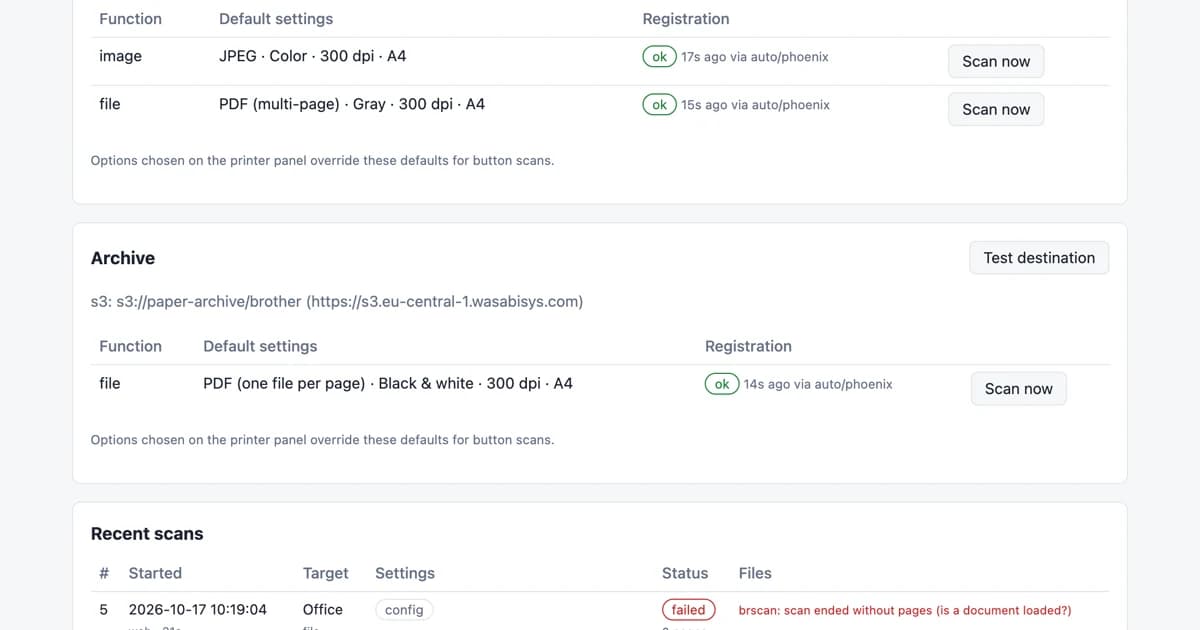
The dashboard shows printer status, a scan form, targets and recent scans, and destinations cover SMB shares without mounts, FTP and FTPS, Amazon S3 and S3-compatible storage including MinIO, Cloudflare R2 and Backblaze B2, plus plain local folders. It ships as a single container with CI, releases and a Docker image, and the README reports it working on the MFC-L2800DW. Format coverage spans PDF, multi-page or per-page TIFF, JPEG, PNG and BMP.

